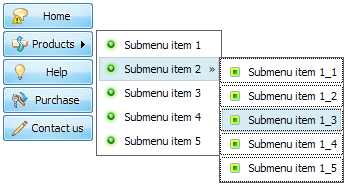
Flash Menu Maker Screenshots


Menu, Button, and Icon Collection

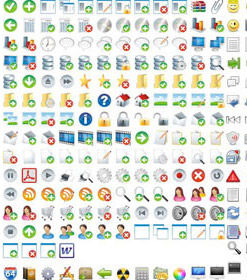
Vista Flash Menu provides huge collection of 1400 web buttons, 6600 icons, 300 ready-made samples, so you'll create really nice looking menus and buttons with little or nodesign skills at all! Web 2.0, Mac, iPhone, Aqua buttons, Vista, XP, transparent, round, glossy, metallic, 3d, tab menus, drop down menus will be a breeze!

Button and Icon Samples

Video Tutorial


With Vista Web Buttons clear and comprehensible interface, you need just 4 simple steps to get your web buttons or html menu ready and if you use a pre-designed sample as a base you'll end up even faster!


Features

Widest cross-browser compatibility
The html menus generated by Vista Flash Menu run perfectly on all old and new browsers, including IE5,6,7,8, Firefox, Opera, Safari and Chrome on PC, Mac, and Linux. Vista Flash Menu menus have a structure based on HTML list of links (LI and UL tags), readable by any search-engine robots and text browsers.

Layer En Flash Fully Customizable
Every button or menu parameter can be easily customized in Vista Flash Menu to fit your web site design and your needs. Create your very own html menus, as simple or as complex as you want!

Vista Flash Menu Orientation of the Menu
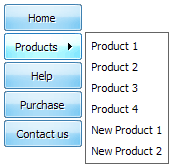
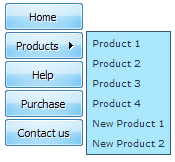
Create both horizontal and vertical menus and submenus with any amount of menus on one page.

Flash Download Example Menu Flash Menu Maker Integration with popular web authoring software.
Vista Flash Menu integrates with Dreamweaver, FrontPage, and Expression Web as an extension/add-in. Create, insert, modify a menu without leaving your favorite web design framework!

Image Navigation
Use images for icons, backgrounds of items. Using images you can create menus entirely based on graphics.

Cross Browser Menu
Full cross-browser compatibility including IE, Netscape, Mozilla, Opera, Firefox, Konqueror and Safari


2.0 Buttons by Web-Buttons.com v3.0.0

How to Use Flash Menu Generator

  • Button builder toolbar


    New - to create new project.

    Open - to open existing project.

    Save - to save current project into the project file (*.xwb).

    Save as… - to save current project into the project file (*.xwb) or into the HTML file or to save your project under another name. Choose type from the "File type" list in the "Save as…" dialog.

    Page insert - to insert your menu into the existing web-page. "Build the menu into your page" dialog will appear. Click "Browse" button to choose a page you want to insert your menu into. After choosing a page and clicking Ok, the chosen page's HTML code will be opened in the Code field of the dialog.


    After that, you can edit your code to prepare the page for the menu insertion. Normally, no coding is required. Then set the cursor to the line you want menu code to be inserted to and click the "Insert" button. The menu code will be inserted into the page. Then you can either save the page or close the dialog without saving by clicking "Save" or "Close" buttons.

    Add button - to add website buttons to the menu.

    Delete button(s) - to delete selected button(s). Is inactive if no button is selected.
    Move button(s) - to change selected button's order in the menu. Selected button(s) will be moved one position left/right each time you click one of the Move buttons.

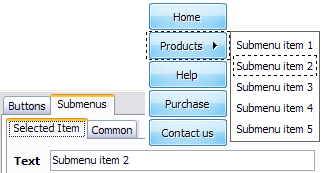
    Add submenu's item - to add submenu's item to the menu. Is inactive if no button is selected.

    Delete button(s) - to delete selected submenu item(s). Is inactive if no button is selected.

    Move submenu's item - to change selected submenu's item order in the menu. Selected item(s) will be moved one position up/down each time you click one of the submenu's item.

    Menu orientation - to select menu orientation (vertical or horizontal). In vertical menu all website buttons are arranged in a column and have the same width. If the menu is horizontal then all its buttons are arranged in a row and have the same height.


    Menu type - to select menu type (1-state, 2-state, 3-state and 3-state toggle).

    1-state buttons are simple static image buttons.

    2-state buttons respond to mouseOver event creating rollover effect. Mouse click doesn't change the button appearance.

    2-state buttons respond to mouseOver event creating rollover effect. Mouse click doesn't change the button appearance.

    3-state buttons support both mouseOver and mouseClick event.

    3-state toggle buttons additionally stick in the pressed state after a click.

    Spacing - to add space between all buttons.

    Fit to large - to make all the menu buttons have the same size. The size will be automatically set to accommodate the biggest text and/or icon in the menu.

    Background color - click the square to select Work area's background color.


Support

Please contact Customer Support at (please include template name in the message title)


FAQ


See also

A4 Flash Menus builder - Create Flash Menu, flash menu ... A4 Flash Menu Builder is an easy-to-use, Flash Menu templates-based software. It helps you to create Flash menus with drop down sub-menus in minutes, ...

Menu Generators, Creators, and Makers for Navigation Bars ... " Menu Generators, Creators, and Makers for Navigation Bars. Web design blog with graphics and web design resources, lists of graphic design tools, utilities, and ...

Download Amara Menu and Button Maker - Demo Software - Tucows Download Amara Menu and Button Maker 3.2 Demo ... With Amara Flash Menu Maker you can create professional Flash buttons and Flash menus for your web site fast ...

Free Flash Menus Maker Free online tool to create Flash banners, menus, buttons and more. ... A dynamic menu that opens an expandable sub menu when a button is clicked. ...

crack cool menu flash maker serial code Download " Full ... crack cool menu flash maker serial code search results, download crack cool menu flash maker serial code files from dl4all.com

Flash Menu and Flash Button Builder - Easy to use Flash buttons and Flash Menus created with Amara Flash Menu and Button Builder can be added to any website in minutes.

Free flash menu - free flash menu builder. Flash buttons themes. Free flash menus project by Flash-Extensions.net. Free online flash menu builder. Flash buttons themes.

Free Website | Free Flash Website Builder at Wix.com Create websites and embeddable flash objects with audio, video, ... The artists name is prominently displayed on top of the sites menu bar with a camera icon. ...

Free flash menu maker to download Flash menu maker free download. Software flash menu maker giveaway

Flash Buttons Tutorial and Flash Menus Tutorial. Amara Menu Maker : Buy | Download | FAQ | Tutorial. Welcome to our Amara Menu and Banner Builder tutorial. ... 9) To save the Flash Menu, you must click on "Generate and Display" ...

Flash Menu - Free Downloads of Flash Menu Software Featured Flash Menu free downloads and reviews. Latest updates on Flash Menu freeware, shareware, demos, betas and pre-releases.

Flash design tools: Review and Free Download 123 Flash Menu is a powerful tool for creating impressive and professional Flash menu in ... Drop-Down Flash Menu Maker. If you want easy and fast build navigation on your ...

Flash Menu Factory - Create flash menus and web buttons in ... Flash Menu Factory builder. Create stylish flash menus and buttons in just a few minutes without any Flash, DHTML - JavaScript programming

Amara Flash Menu and Button Maker Free Download and Review ... Amara Flash Menu and Button Maker 2.8 - Free Download and Review ... Amara Menu Maker will help you to make the impact you need to draw and impress your visitors! ...

Menu Maker Downloads - Visual Menu Maker/Universal License ... Download menu maker shareware, freeware. Absolute Builder Css Dhtml Dom ... With Amara Flash menu maker you can create professional Flash buttons and menus for your ...

SWFMenu Download - create Flash menu, SWF menu maker software SWFMenu is a powerful SWF menu maker software that helps you create impressive and professional Flash menu within 3 steps.